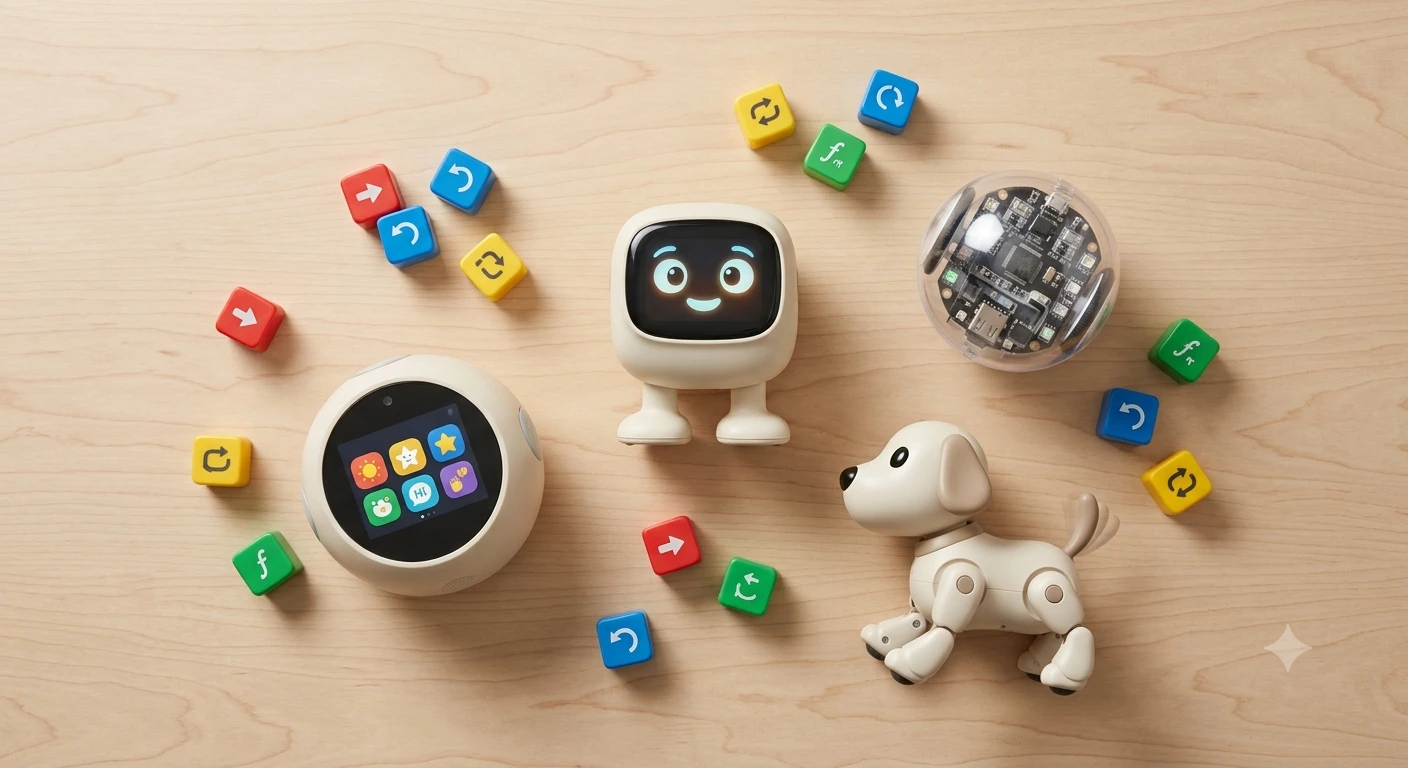
“AI” is currently the hardest-working two letters in the toy aisle. It is printed on boxes containing remote-control cars. It is printed on boxes containing teddy bears that say forty pre-recorded sentences. It is printed on boxes containing genuinely sophisticated machines that adapt to your kid over months. The box does not distinguish between these. That is not an accident.
So here is the question this guide answers, because it is the question you are actually asking: am I being sold hype?
Sometimes, yes. A large share of the “AI toys for kids” category is a scripted chatbot in a plush shell, a voice assistant with a face glued on, or an RC toy with a sticker. But — and this matters — some of these are legitimately, surprisingly good. A few of them do things that would have been research-lab material a decade ago. The trick is knowing which is which before the money leaves your account.
We did not test these in our own homes. We synthesized reviews and long-term footage across The Dad Lab, Tech with Tim, Sphero’s own channel, Mark Rober, Crash Course Kids, and consumer-tech coverage from Mrwhosetheboss. Sources are listed at the bottom. Every product below was checked as live and in stock on Amazon.com before publishing.
At a glance
| Toy | What the “AI” actually is | Where it sits on price | Age sweet spot |
|---|---|---|---|
| Miko 3 AI Robot | Real: adapts, remembers, converses | Premium | 5–10 |
| Energize Lab Eilik | None — and that’s the point | Mid-range | 6–12+ |
| Sphero BOLT+ | None — you write the intelligence | Mid-to-upper | 8–12 |
| Sphero Mini | None — same, smaller, cheaper | Cheapest here | 8–12 |
| Loona Petbot | Real: GPT-4o powered conversation | Most expensive here | 9–12+ |
| Petoi Bittle X | Real, but your kid builds it | Premium | 12+ |
First: what “AI” means on a toy box
There is no rule stopping a company from printing “AI-powered” on anything with a chip in it. So the word has fractured into roughly four meanings, and they are wildly different purchases.
1. It’s a soundboard. A fixed library of recorded responses, triggered by a button or a keyword. The toy says the same eleven things forever. Children figure this out in about a week, which is roughly ten weeks before the novelty was supposed to wear off. This is the largest category and it is the one wearing the most “AI” stickers.
2. It’s a voice assistant with a face. Real speech recognition, real answers — because it is passing your child’s voice to a cloud service and reading back what comes home. Genuinely useful. Also genuinely a microphone in a kid’s bedroom. The intelligence is not in the toy; it is in a data center, and your child is the input.
3. It’s a large language model. The 2025-and-later wave. Actual conversational range, actual memory of what your kid said last Tuesday. This is the most impressive and the most complicated, for exactly the same reasons.
4. It’s not AI at all, and the toy never claimed it was. Programmable robots. The intelligence is the thing your kid writes. No marketing department calls this AI, which is mildly ironic, since it is the only category where a child ends up understanding how any of it works.
Here is the part that surprised us while researching this: category 4 is where most of the value is, and category 1 is where most of the marketing budget is. Keep that in mind for the next 2,000 words.
What people mean by “small AI toy”
This deserves its own section, because it is one of the most common searches in this category and the results are a mess.
When people search for a small AI toy, they usually mean one of three things: a desk-sized robot with personality that isn’t a 12-inch tablet on wheels; something mid-priced that isn’t a commitment; or something a kid can carry around without a charging dock and a Wi-Fi setup.
The honest answer is that the best small AI toy on the market is not, technically, an AI toy. It’s the Eilik, and we’ll get to why below. The runner-up in the “small” bracket is the Sphero Mini — a robot ball roughly the size of a ping-pong ball, and the most affordable pick in this guide.
What you should be careful of in the small bracket: the bargain-bin “mini AI robot” listings are almost universally category-1 soundboards. Small and cheap and genuinely intelligent is not currently a combination that exists. Pick two.
The picks
1. Best overall AI toy: Miko 3 AI Robot
The Miko 3, one of the pricier picks in this guide, is the one product that delivers something close to what the phrase “AI toy” implies in a parent’s head. It has a touchscreen face, it recognizes who it’s talking to, it holds conversations that go somewhere, and it remembers your kid between sessions. Ask it a question and it answers the question — not a keyword-adjacent approximation of the question.
What consistently came through in the footage we watched is that Miko’s real strength is emotional rather than academic. It greets a specific child by name, notices tone, and adjusts. Kids in the 5-to-10 range appear to bond with it in a way they do not bond with a Sphero. The educational content — coding activities, languages, math games — is decent, and there is a lot of it.
The honest caveats, and there are several. Miko’s content library is heavily tied to a paid subscription, and reviewers are consistently blunt that the out-of-box experience without it is noticeably thinner than the marketing implies. Budget for it, or accept a smaller toy than the one in the ad. The novelty curve is also real: reviewers who came back at the six-month mark generally found Miko still in use, but for less time per session than in week one. And it needs Wi-Fi to be itself.
Best for: Ages 5–10, families who want the companion experience, kids who will talk to it. Buy it for what it is — a conversational friend — not for the curriculum.
2. Best small AI toy: Energize Lab Eilik
Now for our favorite piece of honesty in this entire category.
The Eilik is a palm-sized desktop robot with an expressive face, a hilarious range of moods, and a habit of reacting when you poke it. It is the toy people are describing when they search for a “small AI toy.” It is charming in a way that is difficult to convey in text and immediately obvious in ten seconds of video.
It also has no AI. None. Amazon’s own listing says the quiet part out loud: “no need for WiFi or Bluetooth connections, just power on & play.” No voice interaction, no cloud, no account, no app, no microphone streaming your kitchen to a server. Every one of those “emotions” is a beautifully hand-animated pre-programmed behavior, triggered by touch sensors and an internal state machine.
And here is the thing — it does not matter even slightly. Eilik delivers the feeling people are chasing when they shop for an AI companion, at a fraction of the cost of the robots that actually phone home, with a privacy surface of exactly zero. If two of them are on a desk together, they interact with each other. Kids and adults alike anthropomorphize it within about a minute.
Its limits are real limits: it will never answer a question, never learn your kid’s name, never grow. Its repertoire is fixed (firmware updates add to it occasionally). If your child specifically wants to talk to a robot, this is the wrong purchase and they will be disappointed.
But if you want the small, characterful desk robot with no subscription, no Wi-Fi, and nothing listening — this is the one, and it is not close.
Best for: Ages 6 through adult, desks, privacy-conscious households, anyone who wants personality without a data policy.
3. Best for actually understanding AI: Sphero BOLT+
The BOLT+ is a transparent programmable robot ball with an LCD screen, a pile of sensors, and no pretensions about being intelligent. Your kid programs it — by drawing a path, by snapping blocks together, or by writing real Python or JavaScript.
We are putting it in an AI-toy guide on purpose. If your actual goal is a child who understands the technology rather than one who talks to it, this is a better buy than any conversational robot in the same price range. A kid who writes a loop that makes BOLT+ react to a sensor reading has built, with their own hands, the thing that every “AI toy” is doing invisibly behind a plastic face. That understanding is the whole ballgame, and it does not arrive by talking to a chatbot.
The channels we mined are consistent that Sphero’s ceiling is the strongest part of the story: a kid can start with finger-drawn paths at eight and be writing genuine Python on the same robot at twelve. That is a long runway for one purchase. The sensor set on the BOLT+ (accelerometer, gyroscope, light sensor, compass) is what makes real projects possible rather than just cute ones.
The trade-off is that this is a screen-dependent toy — the programming happens in the Sphero Edu app — and it demands more from the parent up front than a robot that just starts talking when you unbox it. If your kid wants a friend, this is not a friend. It is a very good tool.
If you’re weighing this specifically against LEGO’s robotics line, we went deep on that matchup in our Sphero vs LEGO Spike Prime comparison.
Best for: Ages 8–12, kids who ask how things work, families who want the STEM value to be real rather than implied.
4. Best budget pick: Sphero Mini
The Sphero Mini is the cheapest thing in this guide we can recommend without an apology. It’s a ping-pong-ball-sized version of the same idea: drive it, program it with blocks or JavaScript, play the handful of built-in games.
You lose the sensor depth, the LCD screen, and a chunk of the ceiling. What you keep is the part that matters — the loop where a child writes instructions and a physical object obeys them, correctly or otherwise. Debugging a Sphero Mini teaches the same lesson as debugging a BOLT+, just with fewer tools.
This is the pick for testing whether your kid is actually interested before spending several times as much to find out. It is also the correct low-stakes answer to “my nephew’s birthday is Saturday” — it’s one of the stronger options in our roundup of STEM birthday gifts for tweens under $75.
Its honest weakness: reviewers note the Mini’s battery life is short (measured in tens of minutes, not hours) and it is small enough to lose under a couch. Neither is a dealbreaker at this price.
Best for: Ages 8–12, budget-conscious buyers, gift-scale purchases, “let’s see if this sticks.”
5. The most genuinely intelligent one: Loona Petbot
The Loona is the most technically impressive object in this guide, the most expensive, and the hardest to recommend without a long paragraph of caveats.
It’s a robot pet — expressive, mobile, startlingly lifelike in its movement. It navigates with 3D depth sensing, responds to hand gestures and voice, and runs on GPT-4o, which means it holds conversations with real range instead of the eleven-sentence loop of a soundboard toy. The animation work is exceptional; reviewers who are cynical about this entire category tend to soften noticeably once Loona starts moving. It reads less like a toy and more like a small animal with opinions.
The caveats, in order of importance. The price — this is a serious purchase, and it is a toy. Battery life is roughly 1.5 hours of active play, so a charging dock is part of your life now. And most significantly: it is a camera and microphone on wheels, in your house, streaming to a large language model. It is marketed partly on home monitoring, which tells you exactly what its hardware is capable of. That may be entirely fine for your family. It should be a decision, not a surprise.
We would also gently note that a GPT-powered toy’s personality can be updated — or degraded, or discontinued — by a company decision, long after your money is gone. The AI companion graveyard is not hypothetical; this category has already buried products that families loved. Ask what happens to this thing if the servers go dark.
Best for: Ages 9 and up, households already comfortable with smart speakers, buyers who want the state of the art and have read the paragraph above twice.
6. For the kid who should build it instead: Petoi Bittle X
The Bittle X is a palm-sized robot dog that your child assembles, then programs. It’s open source. It runs on Arduino-compatible hardware, works with a Raspberry Pi, and has genuine voice control and a real API.
This is the most demanding pick here and the one with the highest ceiling by a distance. A teenager who gets into Bittle is not playing with a toy; they are doing robotics. The gait programming alone — making a four-legged thing walk without falling over — is a legitimate engineering problem that people write papers about. There is no subscription, no cloud dependency, and no marketing pretending the robot is your friend.
It is also expensive, fiddly, and unambiguously wrong for a nine-year-old who wanted a robot dog. The assembly is real assembly. If a child is not already motivated by building, this becomes an expensive box in a closet by February.
Stock on this one is thin and moves around; if it’s showing as unavailable, it tends to come back.
Best for: Ages 12+, teens with demonstrated coding interest, the kid who has outgrown everything else on this list.
What we’d skip
The white-label “ChatGPT plush” flood. Search “AI stuffed animal” on Amazon and you’ll find dozens of listings — voopark, IvyBess, NEZART, Fsdru, OKIVIVI, and a rotating cast of others — that are transparently the same handful of products with different brand names stamped on them. Same photos, same feature bullets, same promises about “long-term memory” and “voice cloning,” all clustered in the same mid-range price band. Some may be fine. But you are buying a cloud-connected microphone aimed at a three-year-old from a brand that did not exist last year and may not exist next year, with a privacy policy nobody has read. The category may eventually produce something good. Right now, we can’t tell you which one it is, and neither can the listings.
Anything where “AI” is the biggest word on the box. A reliable inverse relationship: the genuinely capable products in this guide describe what they do. The soundboards describe what they are. When the marketing leads with the acronym rather than a capability, the acronym is doing the work.
The cheapest “AI robots.” These are RC toys. That’s fine — RC toys are fun — but buy one knowing it’s an RC toy at an RC toy price, and not the AI companion the listing implies.
Toys that are bricks without Wi-Fi. If the company folds or the app is discontinued, a cloud-dependent toy stops being a toy. This has happened repeatedly in this exact category. It is the single strongest argument for the Eilik and the Spheros, all of which keep working regardless of what happens to their manufacturers.
How the picks compare
| Toy | Real AI? | Needs Wi-Fi | Mic/camera | Subscription | Works if company folds |
|---|---|---|---|---|---|
| Miko 3 | Yes | Yes | Both | Effectively | Substantially reduced |
| Eilik | No | No | Neither | No | Yes |
| Sphero BOLT+ | No (you code) | App only | Neither | No | Mostly |
| Sphero Mini | No (you code) | App only | Neither | No | Mostly |
| Loona | Yes (GPT-4o) | Yes | Both | Some features | Substantially reduced |
| Petoi Bittle | Yes (you build) | No | Mic | No | Yes (open source) |
That last column is not a throwaway. It is arguably the most useful column in this guide.
Quick choice
- You want the AI companion experience your kid is imagining → Miko 3
- You want a small AI toy with personality and zero privacy exposure → Eilik
- You want your kid to actually understand this technology → Sphero BOLT+
- You want the lowest-risk pick and a birthday is on Saturday → Sphero Mini
- You want the most advanced thing available and the budget is real → Loona
- Your teenager has outgrown everything → Petoi Bittle X
- Your kid is under 8 and this is their first robot → none of these; start with our guide to first coding robots for ages 4–8
Frequently asked questions
Are AI toys safe for kids? “Safe” splits into two questions. Physically, the products here are mainstream toys with standard age grades — check the box. Digitally, it depends entirely on which category you bought. A toy with no microphone and no Wi-Fi (Eilik, the Spheros) has essentially no digital risk surface. A toy with an always-available mic, a camera, and a cloud pipeline to an LLM has a real one — not necessarily a bad one, but one you should understand before it’s in a bedroom. Read the actual privacy policy for anything in that second group, and check whether the company states COPPA compliance. We are a gear site, not lawyers, and this is a category where that distinction matters.
What age is right for an AI toy? The conversational robots (Miko) are graded from about 5. The programmable ones (Sphero) start realistically around 8, when reading and abstract sequencing are solid enough to make programming rewarding rather than frustrating. Build-it-yourself kits like Bittle are a 12+ proposition regardless of what the box says. Under 5, we’d steer you away from this category entirely and toward simple cause-and-effect robots.
Do AI toys actually teach anything? Cautiously: the programmable ones do, and it’s measurable — a child who writes a working loop has learned a real thing. The conversational ones are murkier. They deliver content, and content is not nothing. But there’s a meaningful difference between a toy that contains educational material and a toy that builds a skill, and the marketing for this category works hard to blur it. If teaching is your actual goal, a mid-priced Sphero beats a top-of-the-line chatbot.
Is a “small AI toy” ever really AI? Rarely, at the small-and-affordable end. Genuine on-device intelligence needs either real hardware or a cloud connection, and both push the price up. The small charming ones are almost always sophisticated pre-programmed behavior — which, as the Eilik proves, is frequently better than the real thing for what people actually want.
What happens when the company shuts down? For cloud-dependent toys: the toy degrades or dies. This is not a hypothetical risk in the AI toy space — it’s a pattern. Toys that work offline are immune. It’s worth weighing this more heavily than the spec sheet suggests, because an expensive robot that becomes a paperweight in three years is a much worse deal than a cheaper one that works forever.
Sources we mined
We synthesized this guide from independent video reviews, long-term follow-up footage, and STEM education content. We did not personally test these products.
- The Dad Lab (YouTube) — hands-on robot and STEM toy demos with kids, including revisit footage
- Tech with Tim (YouTube) — coding education channel; programmable robot and robotics kit reviews
- Sphero (YouTube) — official product demos and educator walkthroughs for BOLT+, Mini, and indi
- Mark Rober (YouTube) — engineering-mindset framing, referenced for how challenge should scale with age
- Crash Course Kids (YouTube) — STEM fundamentals and developmental context
- Mrwhosetheboss (YouTube) — consumer-tech reviews of AI gadgets and companion robots
- Manufacturer listings and specifications on Amazon.com (verified live 2026-07-17)
- Aggregated Amazon customer reviews (pattern-matching only; no quoted text)
A note on how we research
Nobody on our team has handed any of these robots to a child in a living room. Our recommendations come from synthesizing independent video reviews, educator discussion, and aggregated parent ratings, plus direct verification that each product is actually available to buy. We don’t list prices — they change constantly, so check the current price on Amazon before you decide. We earn a commission if you buy through our links, at no extra cost to you. We recommend the Eilik, which is not an AI toy, over several products that pay better and claim more. That is roughly the whole editorial policy.
Sources we mined
We synthesized this article from independent reviews on the following channels and sources. We do not control or endorse them — verify safety, age recommendations, and current pricing on Amazon before buying.
- The Dad Lab — hands-on STEM and robot toy demos with kids, long-term follow-up footage
- Tech with Tim — coding education channel; robotics kits and programmable robot reviews
- Sphero (official YouTube) — product demos and classroom walkthroughs for BOLT+, Mini, and indi
- Mark Rober — engineering-mindset framing; referenced for how challenge should scale with age
- Crash Course Kids — STEM fundamentals; developmental context for what "learning" means at each age
- Mrwhosetheboss — consumer-tech reviews of AI gadgets and companion robots; useful for separating demo-reel claims from daily use